Manage Group User
The Manage Group User menu is the center for managing user groups/roles. Data inputted here will be used for group/role management processes, access rights configuration, and structured group/role member management.
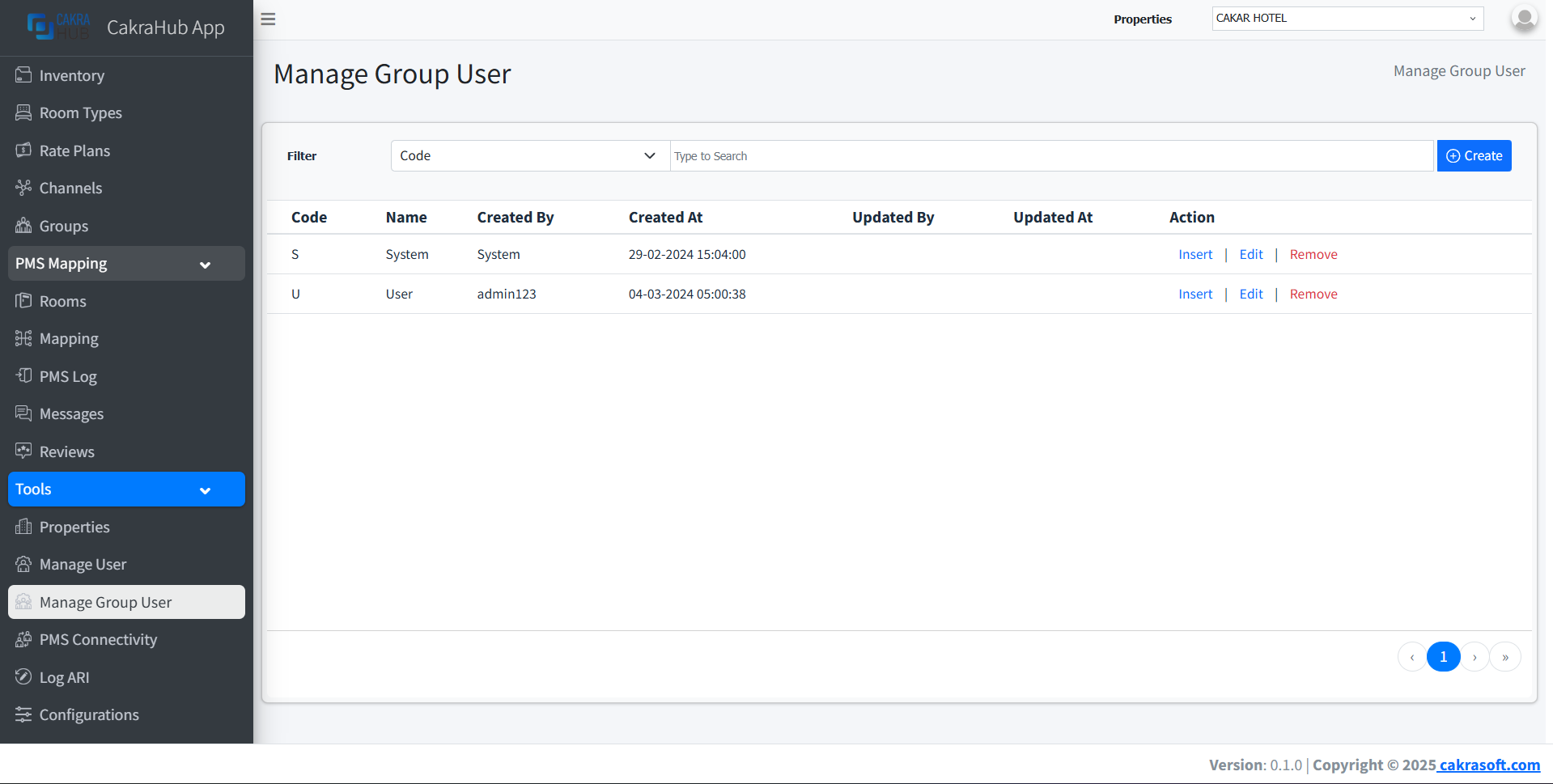
Why is the Manage Group/Role User Menu Important?
- Group/Role Management: Manage user groups/roles and their access rights
- Group/Role Data CRUD: Create, edit, and delete user groups/roles
- Flexibility: Group/role data can be adjusted according to operational needs
Group/Role User Data Management
- Create
- Edit
- Remove
To create a new user group/role:
- Click the "+ Create" button in the top right corner.
- Fill the form with required group/role data.
- Fields with red labels are mandatory - make sure nothing is missed.
- Save, and data will automatically be available in the list.
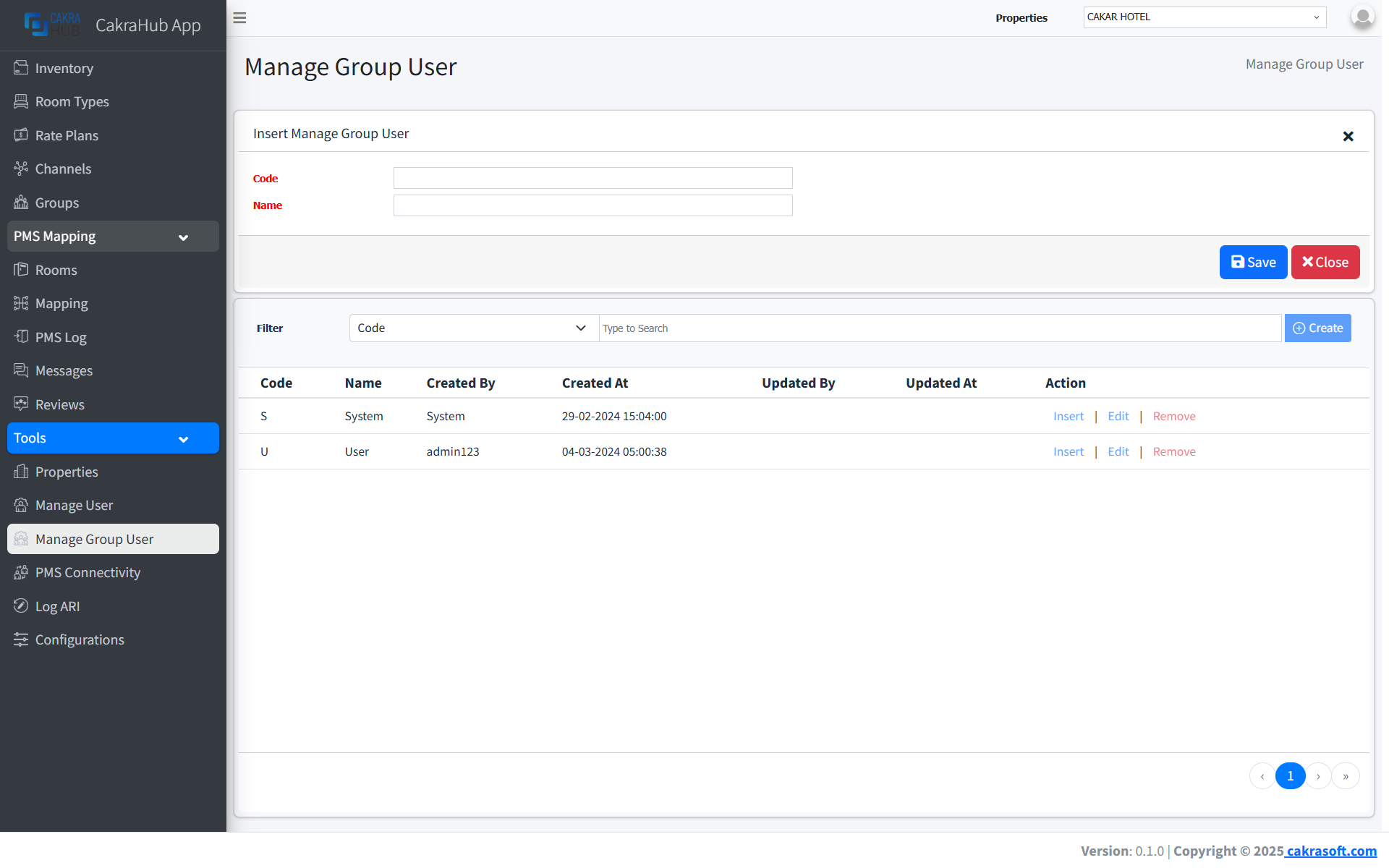
Make sure all fields with red labels have been filled correctly before saving data.
To edit existing user group/role data:
- Click the Edit button on the data row you want to change.
- Change data as needed (red fields remain mandatory).
- Save changes, data will be updated in related systems.
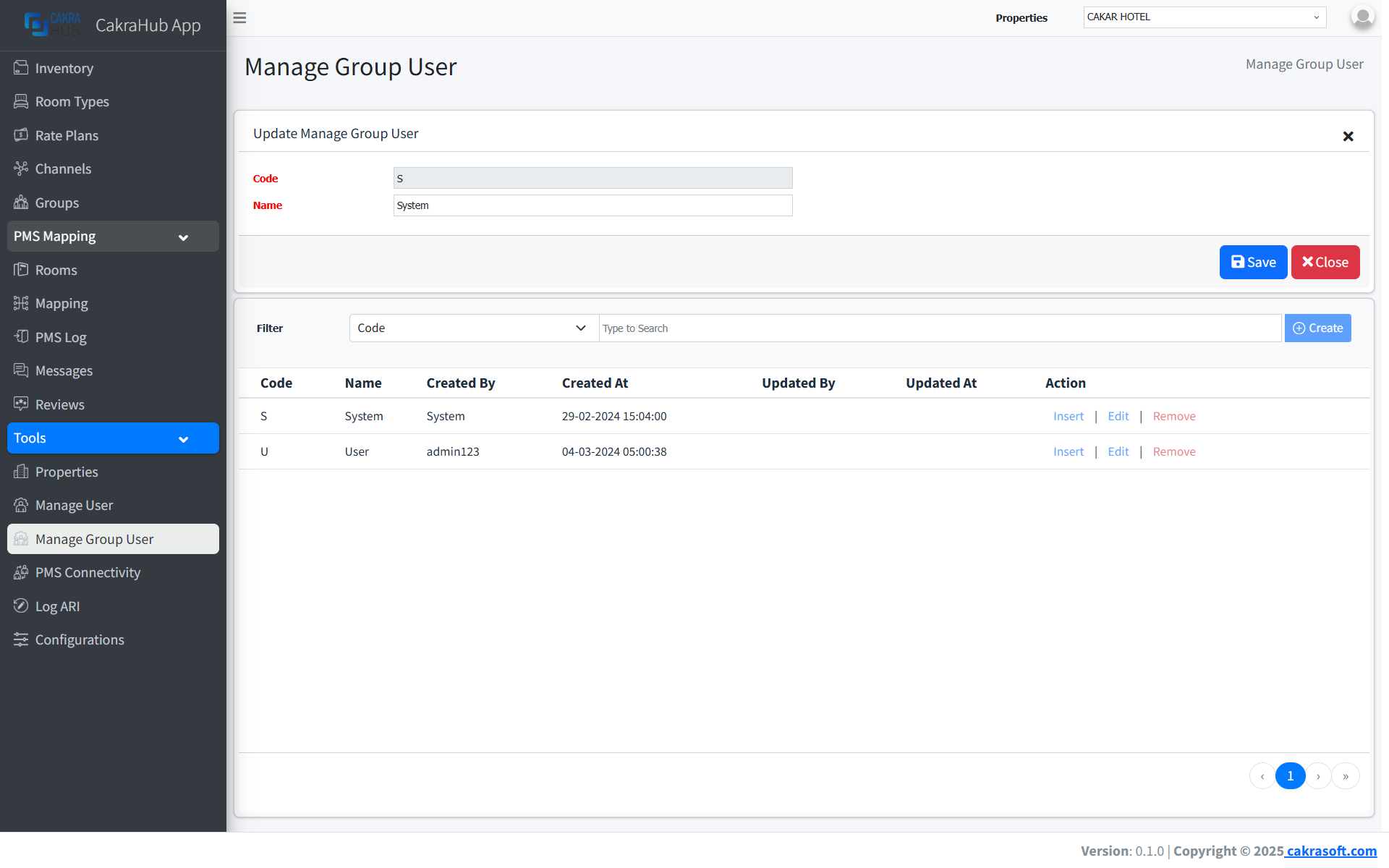
Data changes will automatically sync to connected systems.
To delete user group/role:
- Click the Remove button on the data row to be deleted.
- Confirm deletion through the dialog that appears.
- Group/role data will be deleted from the system and no longer available.
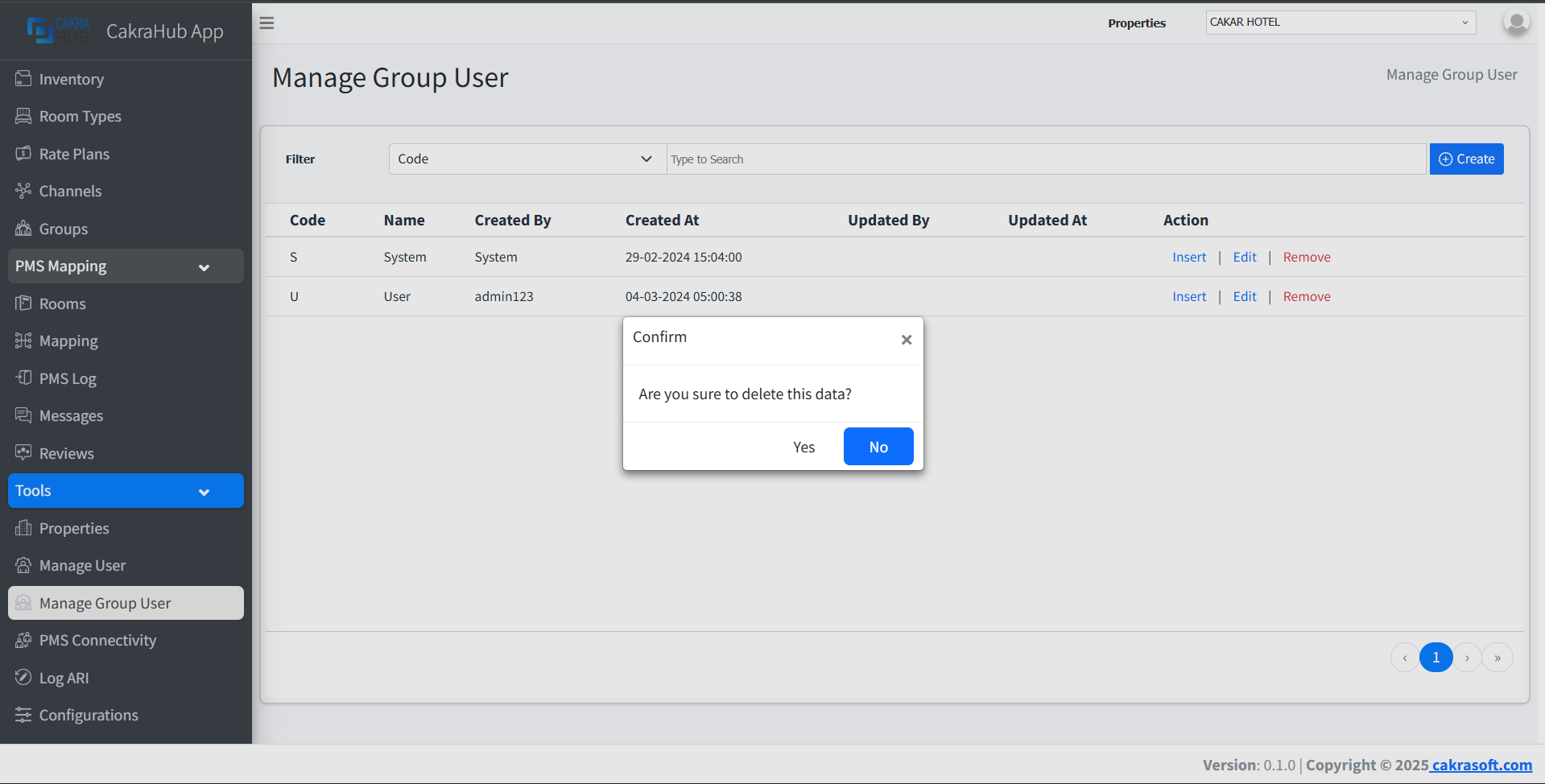
Deleting group/role data will remove all related access rights and members. Make sure no active processes exist before deleting.
Group User Input Form Details
Mandatory Fields (Red Label)
- Code: Group/role user code
required - Name: Group/role user name
required
Group Access Rights Integration
Data inputted in the Manage Group User menu will automatically be used for access rights configuration and group/role members in the integration system.
It is recommended to input group/role user data according to operational needs and organizational structure.