Rooms
The Rooms menu is the center for managing room types and rate plans from PMS. Data inputted here will be used for the mapping process with data in Channel Manager (CM), so integration runs smoothly and consistently.
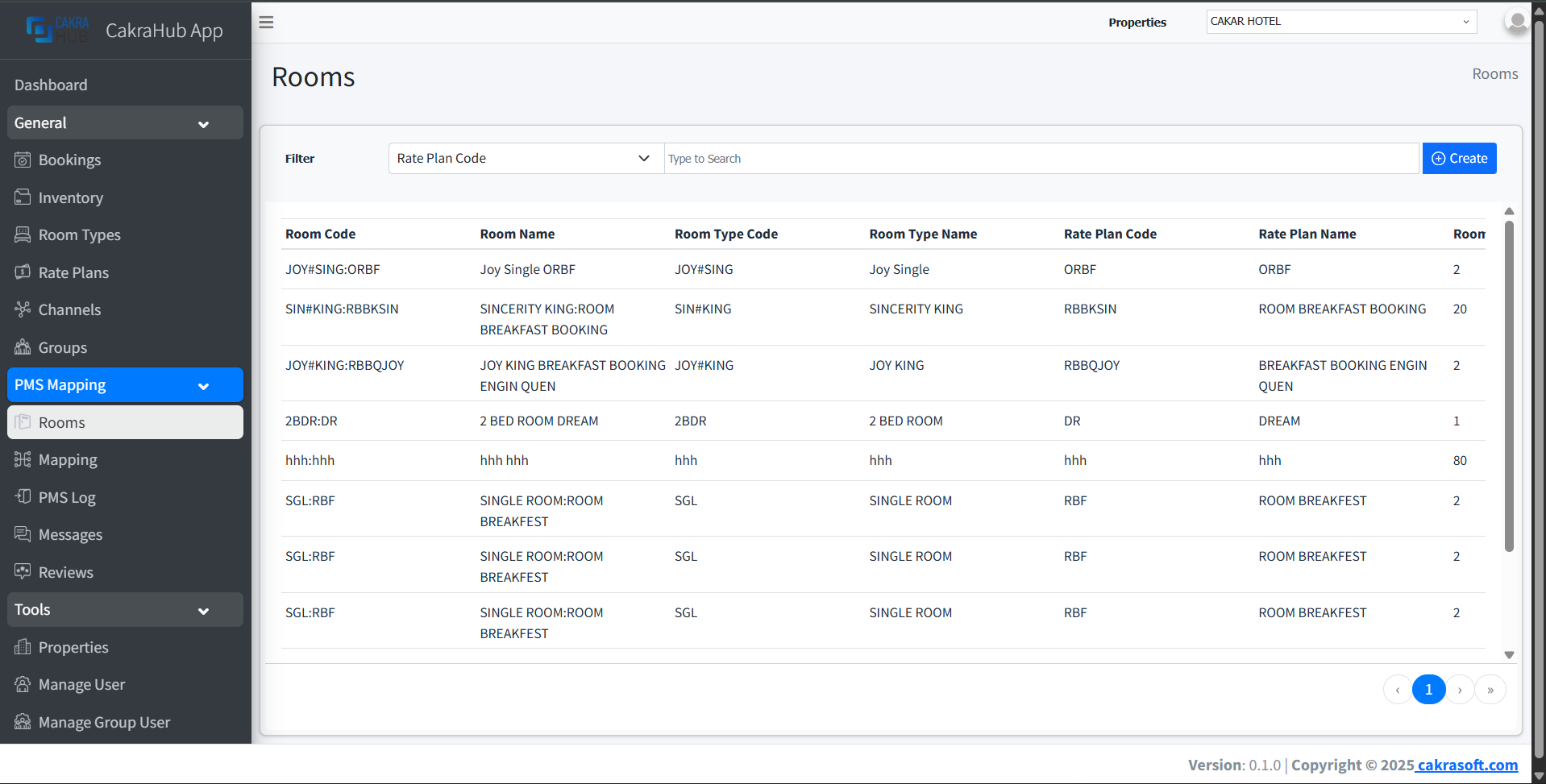
Why is the Rooms Menu Important?
This menu becomes the main foundation for PMS and CM integration because:
- Mapping Base: All PMS room type and rate plan data inputted will automatically be available for the mapping process to CM
- PMS Data CRUD: You can create, edit, and delete PMS data as needed
- Data Consistency: Ensures PMS room and rate plan data is always synchronized with CM
- Flexibility: Data can be adjusted according to hotel operational needs
Rooms Data Management
- Create
- Edit
- Remove
To create new room type and rate plan data:
- Click the "+ Create" button in the top right corner.
- Fill the form with required PMS data.
- Fields with red labels are mandatory - make sure nothing is missed.
- Save, and data will automatically be available in the list and in the mapping menu.
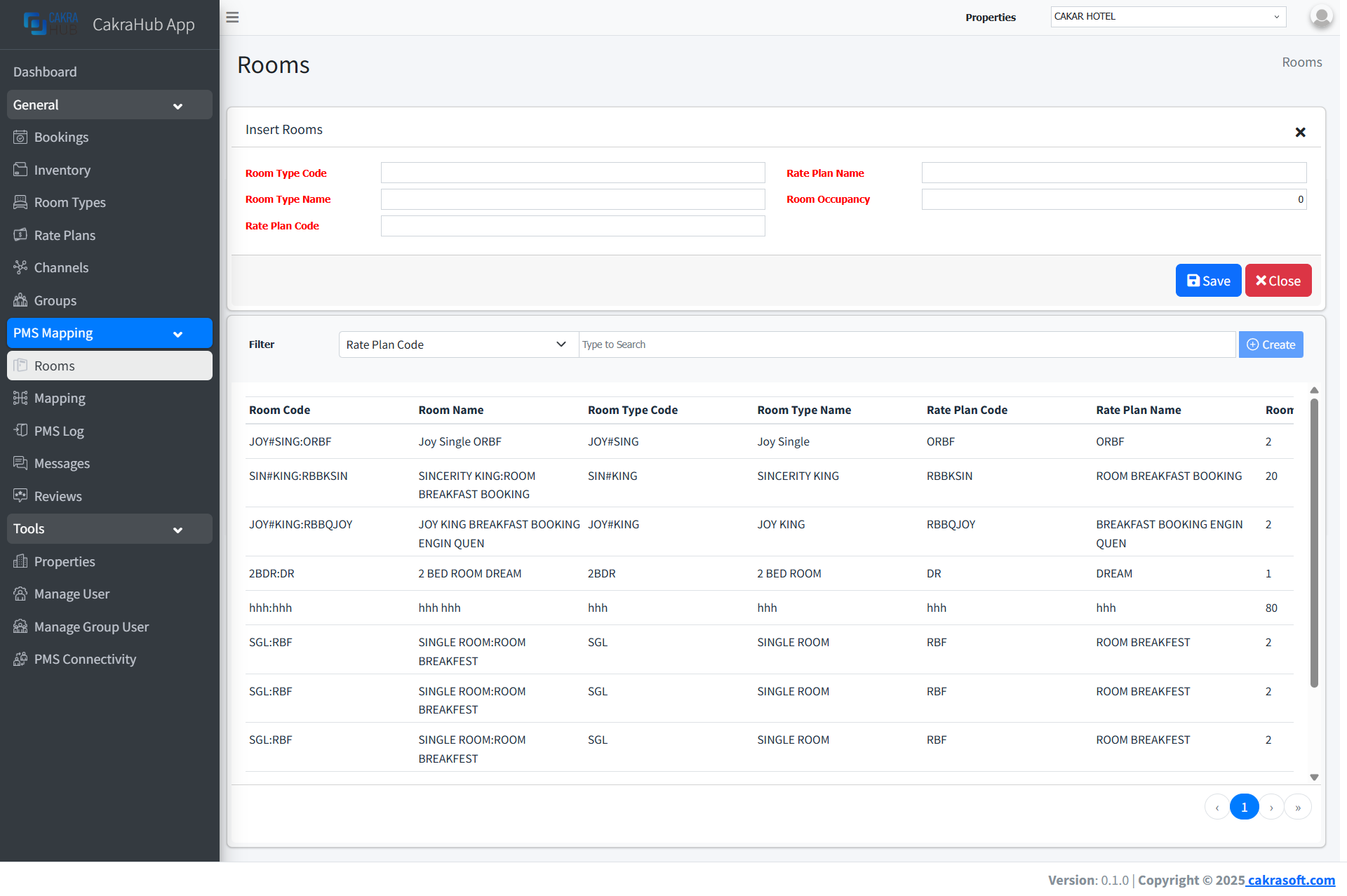
Make sure all fields with red labels are filled in correctly before saving the data.
To edit existing data:
- Click the Edit button on the row you want to change.
- Update the data as needed (red fields are still required).
- Save changes, and the data will be updated in the mapping and related systems.
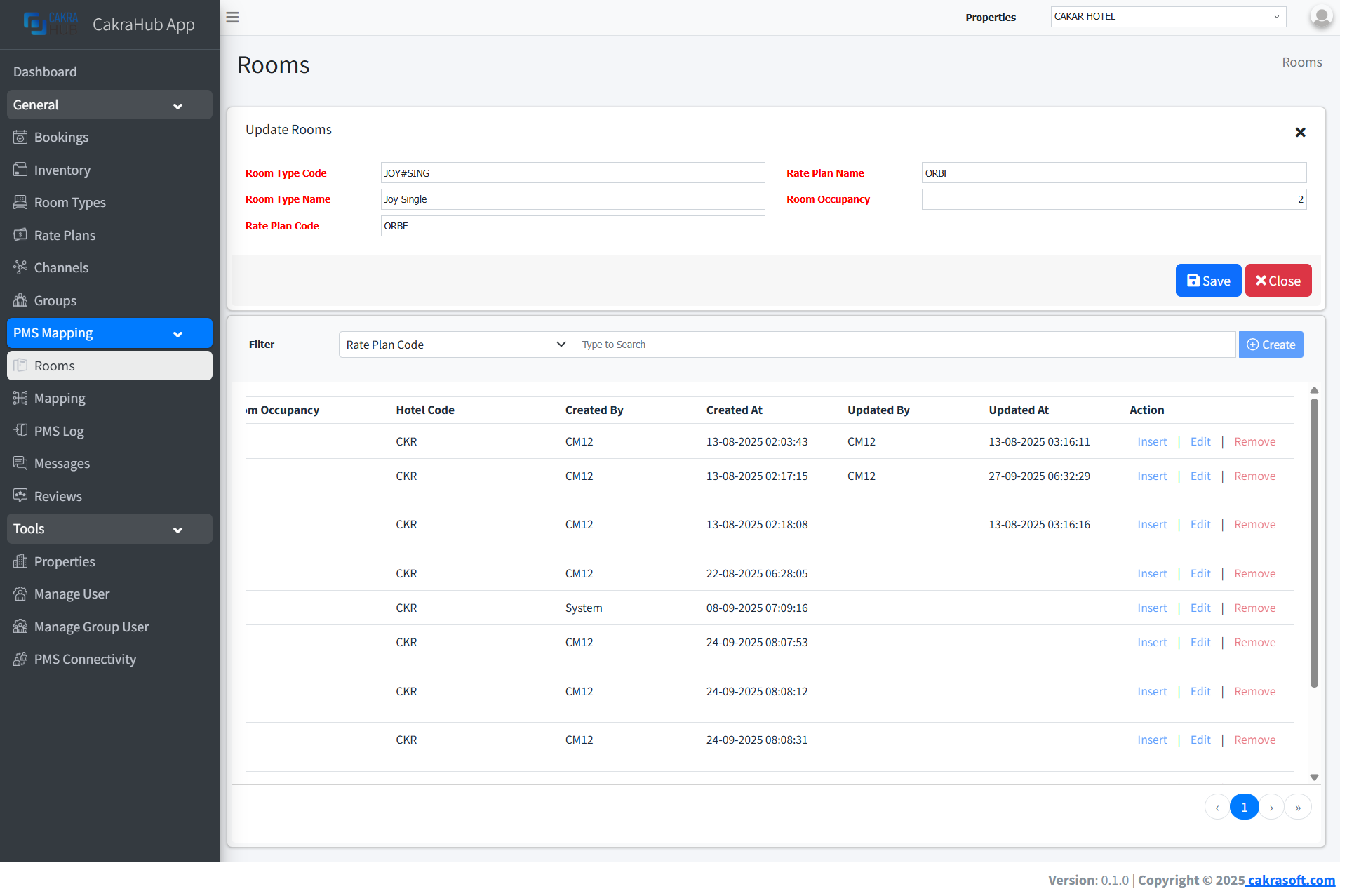
Data changes will be automatically synchronized to the Mapping menu and connected systems.
To delete data:
- Click the Remove button on the row you want to delete.
- Confirm deletion through the dialog that appears.
- Data will be deleted from the system and will no longer be available for mapping.
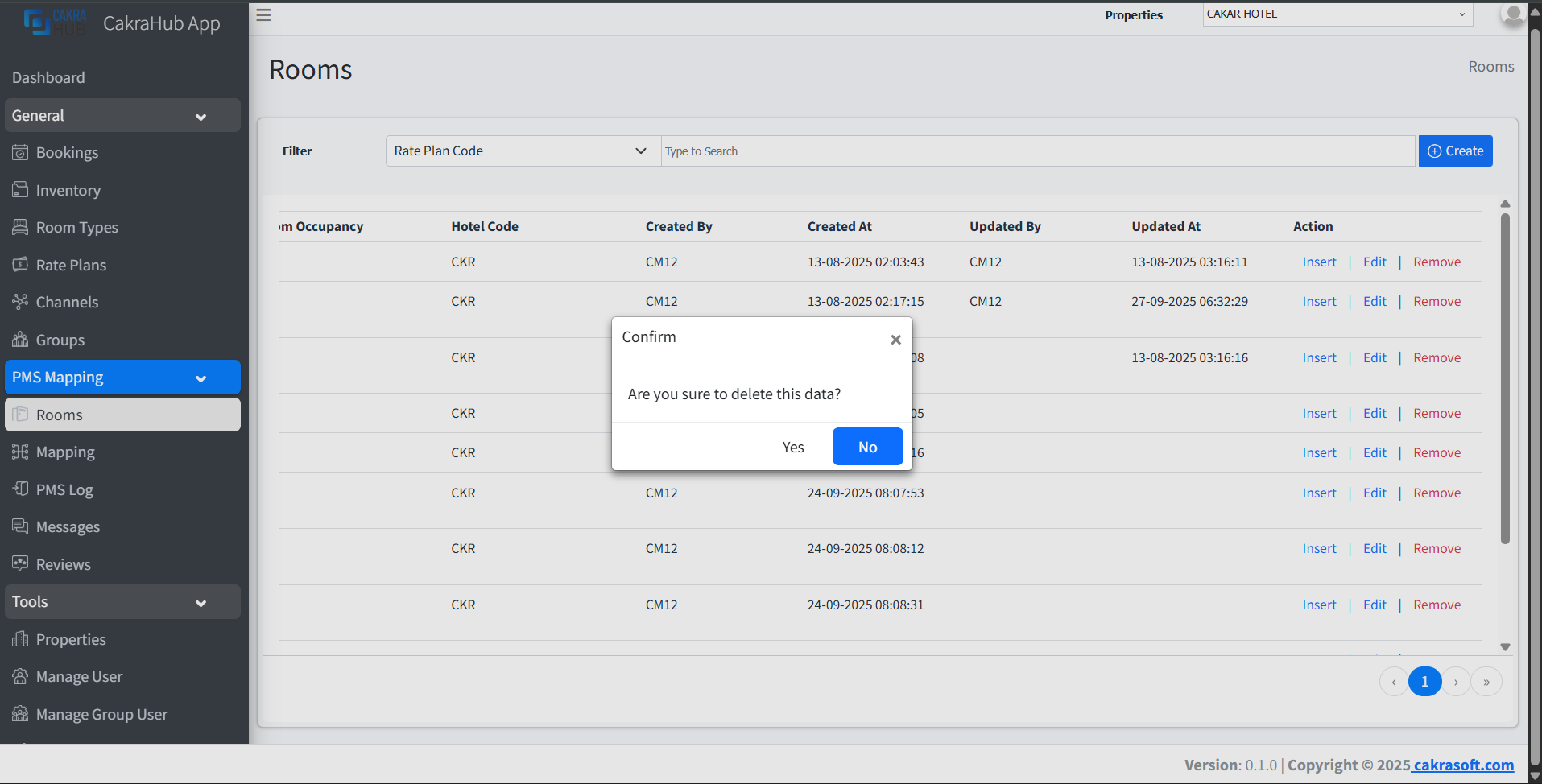
Deleting data will remove all related mappings. Make sure there are no active bookings before deleting.
Detail Form Input Data Rooms
Required Fields (Red Label)
- Room Type Code: Unique code from PMS
required - Room Type Name: PMS room type name
required - Rate Plan Code: PMS rate plan code
required - Rate Plan Name: PMS rate plan name
required - Room Occupancy: Number of rooms using this rate
required
If the hotel wants to sell rooms based on bed type, the room type code should contain a hash (#) symbol, which serves to separate the room type and bed type.
Example PMS data:
- Room Type → Standard Room
(STD) - Bed Type → Twin Bed
(TWN)
Valid format → room_type_code#bed_type_code
- So for Room Type Code in the Rooms menu, it becomes →
STD#TWN
Integration with CM
Data entered in the Rooms menu will automatically be available in the mapping menu. Make sure the PMS data entered is correct so the integration process runs smoothly.
It is recommended to input PMS data according to the original data (Must match what is in the PMS).