Bookings
The Bookings menu is used to display and filter the list of reservations (bookings) received from various OTAs (Online Travel Agents) into the PMS system. This menu does not provide features to create, edit, or delete bookings manually. All booking data displayed is the result of automatic synchronization from OTAs.
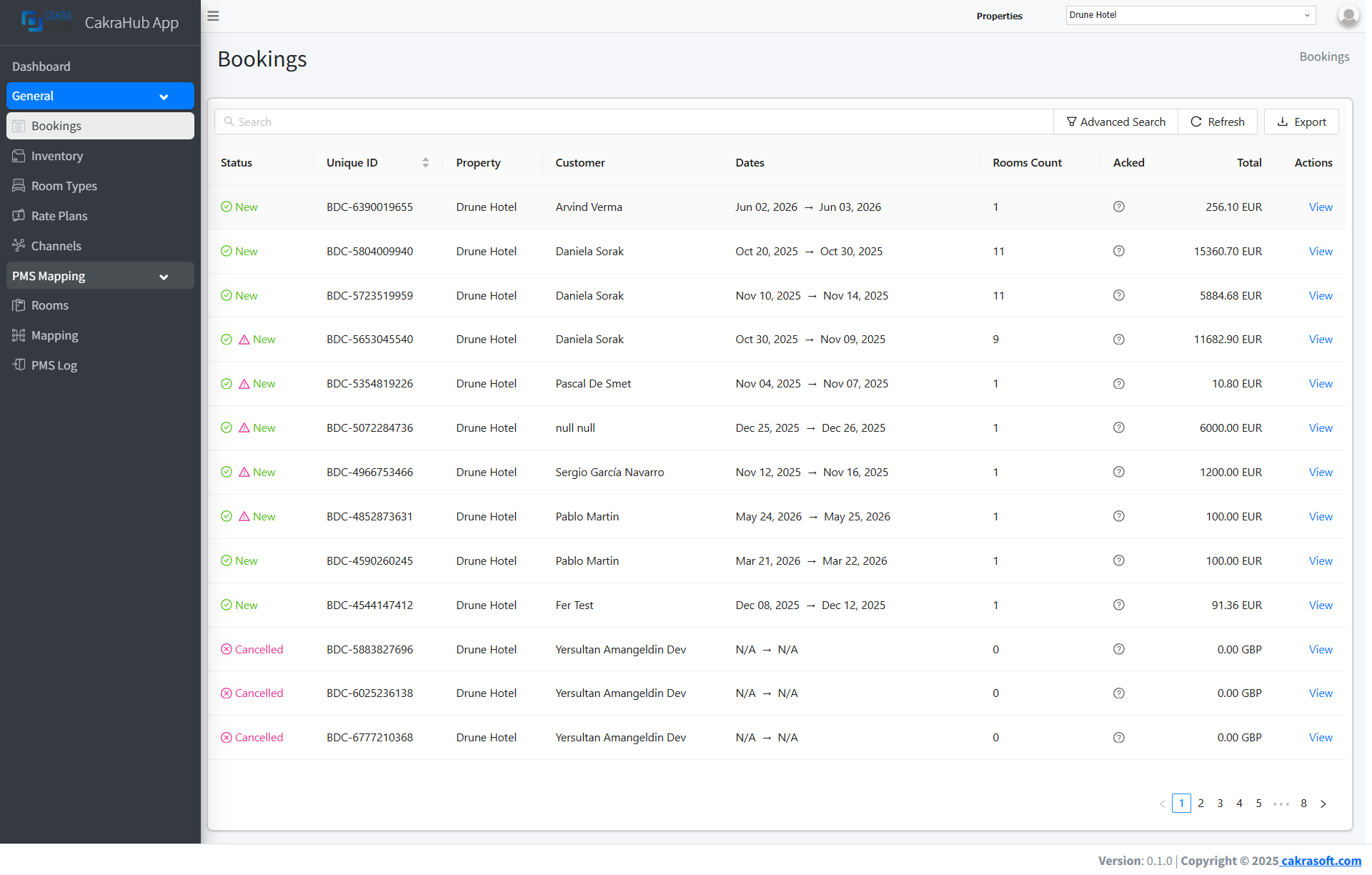
Main Bookings Functions
- Real-Time Monitoring: All latest bookings from OTAs directly appear on the dashboard.
- Filter & Search: Can filter booking lists based on date, status, OTA, or guest name.
- View Details: Can view complete details of guest data, rooms, and booking status received from OTAs.
- Resolve Mapping: If there are bookings received but room type or rate is not yet mapped, this menu provides a resolve feature to connect booking data to the correct room type and rate in the system.
Bookings Menu Features
- View & Filter Bookings
- Viw Booking Details
- Resolve Mapping
On the Bookings page, you can:
- View the entire list of bookings received from various OTAs.
- Table displays guest name, check-in/check-out dates, booking status, OTA source, and total payment.
- Use search and filter features for quick searches based on date, status, OTA, or guest name.
Click on a booking row to view complete details:
- Guest information, room, price, special requests, change history, and payment status received from the OTA.
- There is no edit feature, only a detailed view of the booking data.
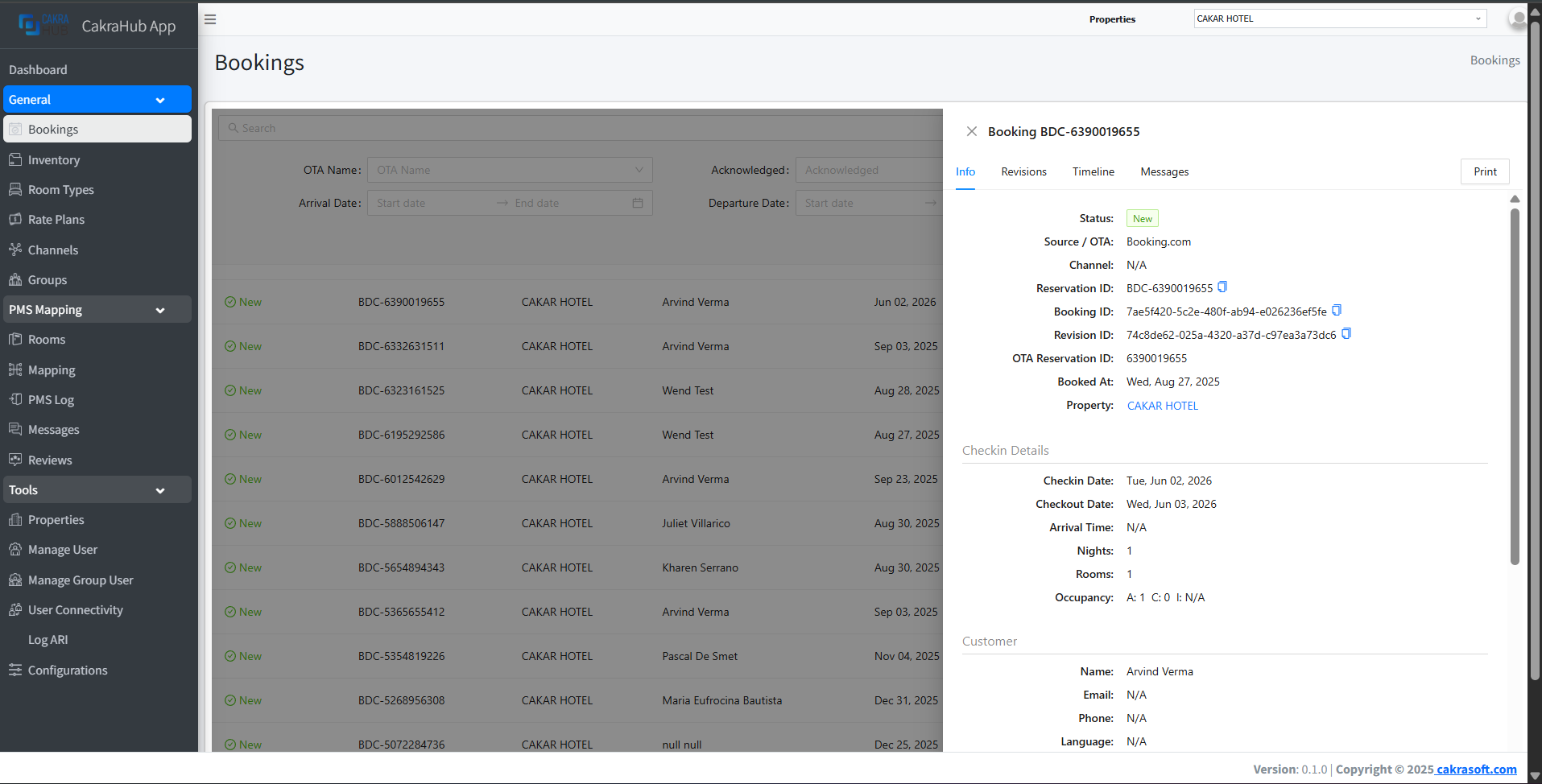
If there is a booking received but the room type or rate has not been mapped, a notification and Resolve button will appear.
- Click Resolve to view the second detail from the booking data.
- Click Allocate to display a form where you can link the booking to the correct room type and rate in the system.
- After successfully resolved, the booking will be connected and entered into the PMS.
Loading gallery...
Penting
The resolve feature only appears if there is a booking that has not been linked to a room type or rate in the system.
Catatan Penting
- The bookings menu is only for displaying, filtering, and viewing details of booking data received from OTAs.
- There is no feature to create, edit, or delete bookings manually.