Channels
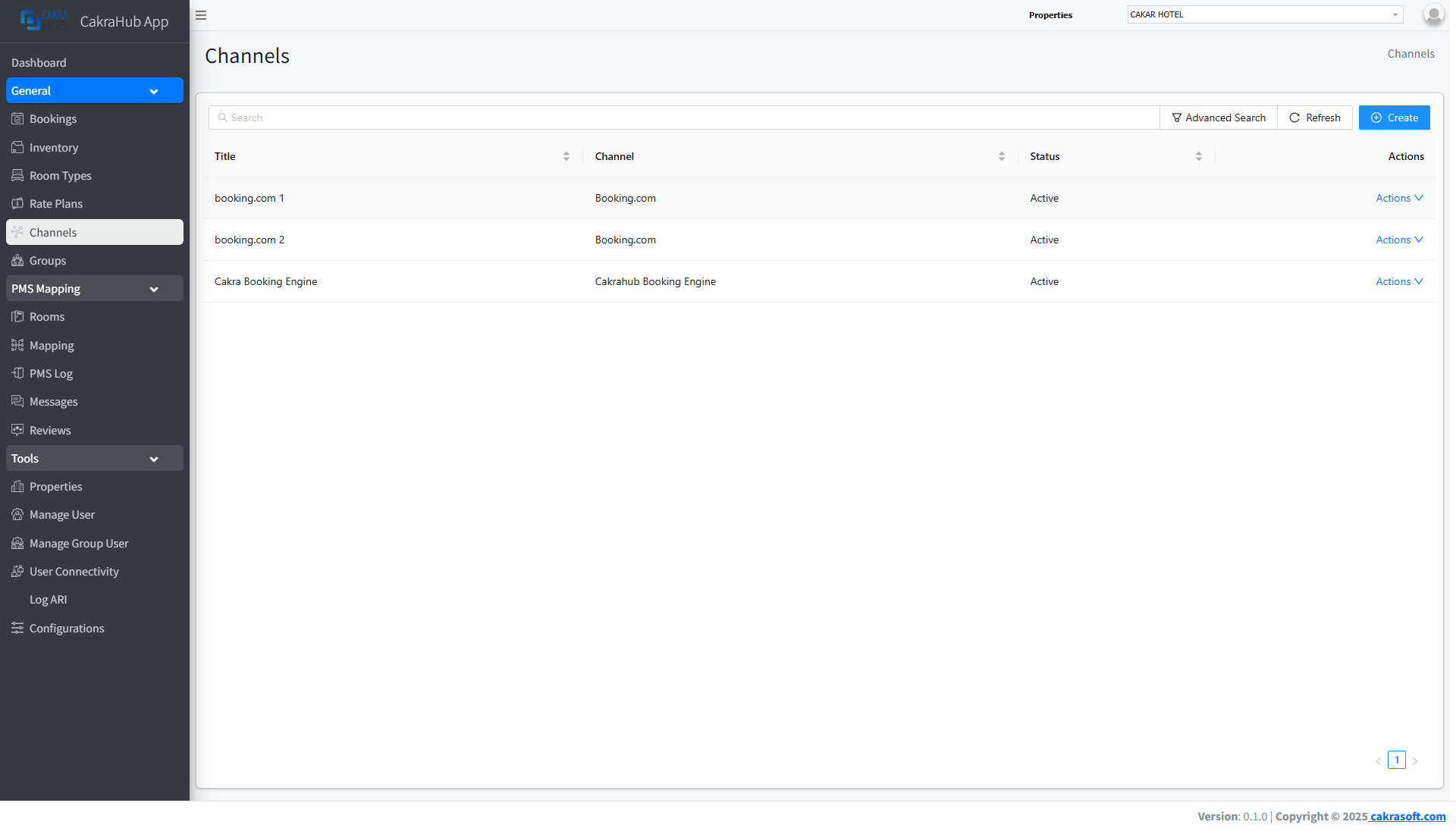
The Channels menu is the control center for managing connections between your property and various Online Travel Agents (OTAs) such as Booking.com, Expedia, Airbnb, Agoda, and others. With this menu, you can configure, connect, and monitor the integration status of each channel in real-time.
Main Channel Features
- Multi-OTA Integration: Connect your property to dozens of global & regional OTAs with just a few clicks.
- Real-Time Connection Status: Monitor connection status (active, error, synchronization) of each channel directly.
- Automatic Mapping: Easily adjust room, rate, and inventory mapping to each channel.
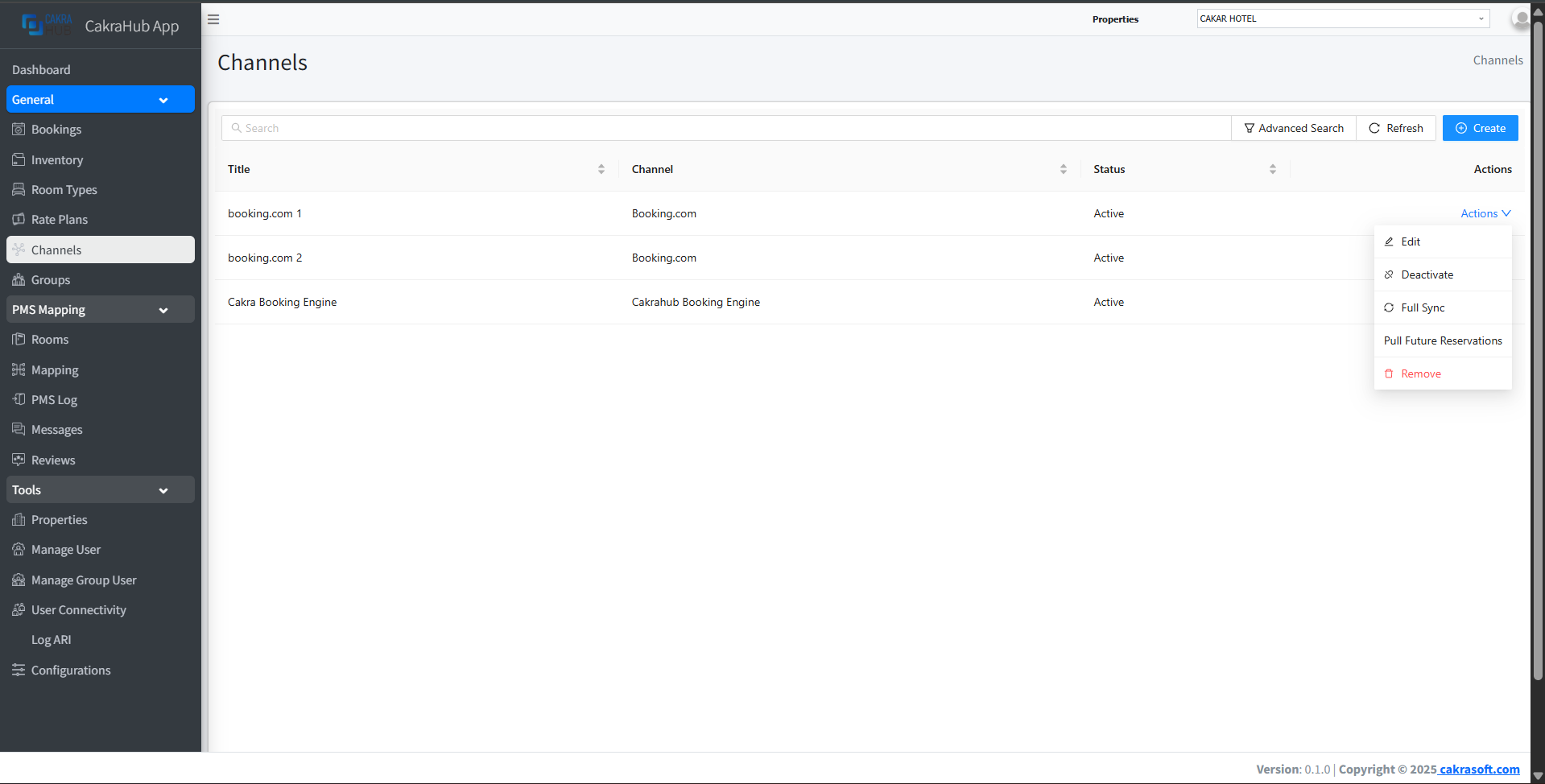
- Deactivate/Activate - You can deactivate or activate the channel connection
- Full Sync - This will push a full 500 day update to the channel
- Pull Future Bookings - Currently only available on Booking.com, This will pull all bookings that were created before connection
- Remove - This will delete the connection. If it is an Airbnb connection it will also disconnect in Airbnb. All other channels you need to manually disconnect Channex in the extranet.
How to Use the Channels Menu
- View & Manage Channels
- Create Channel
- Room & Rate Mapping
- Rate Logic
On the Channels page, you will see a list of all available OTA channels and their connection status.
- Click the Action button then select Edit to view channel details, and you can directly fix if something is wrong or needs to be added.
- Channel status is displayed with active and inactive status.
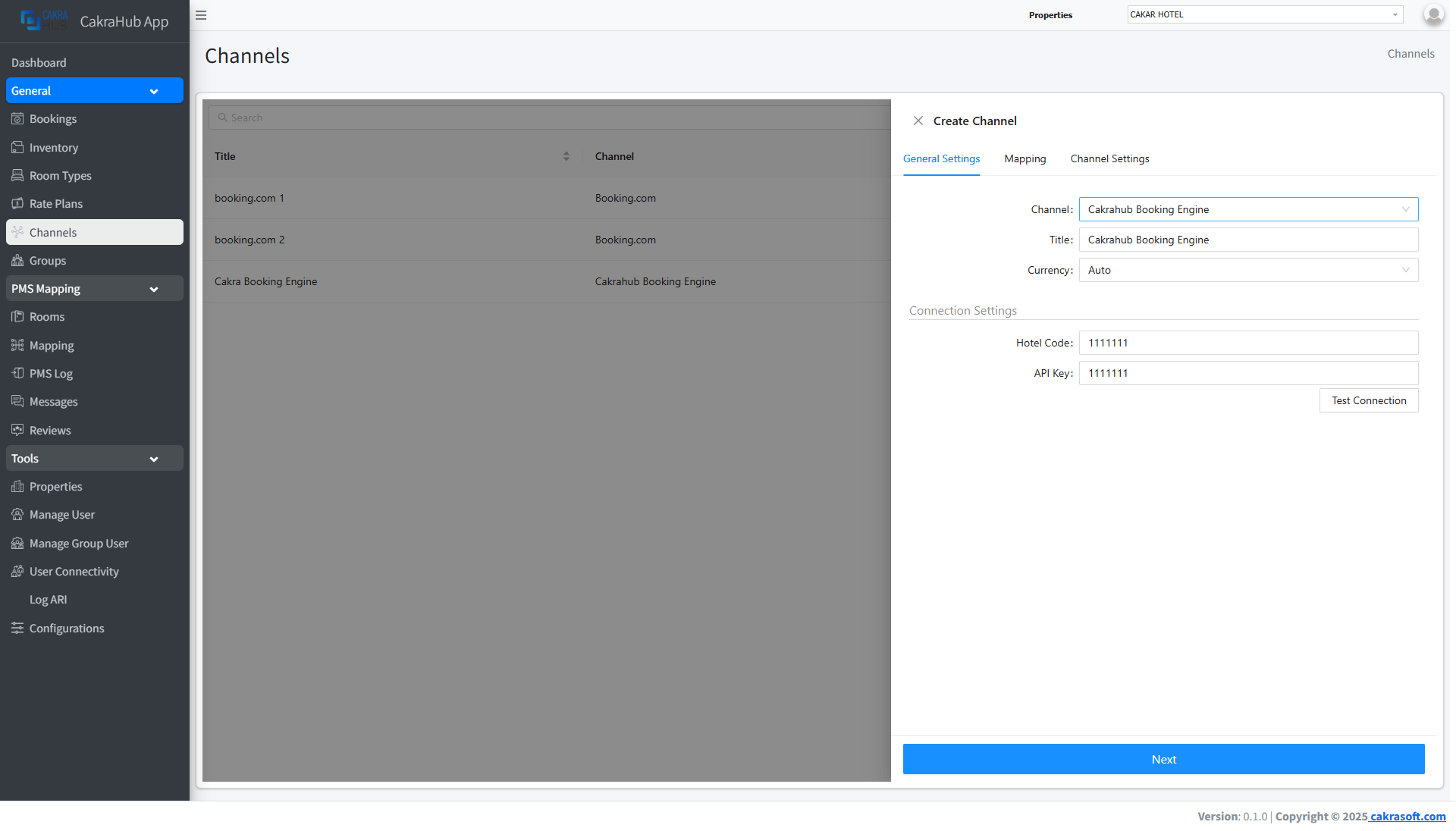
To connect a new channel:
- Click the Create button in the top right corner.
- Select the channel you want to map.
- Enter credentials/property ID from the related OTA.
- After completing the data, click the Test Connection button. If the inputted data is valid, a successful connection status will appear.
- Click the Next button to continue mapping room types and rates.
Mapping is used to match room types and rate plans between PMS and OTA.
- Select rooms and rates from PMS, then match them with those in the OTA.
- Make sure the mapping is correct so synchronization runs smoothly.
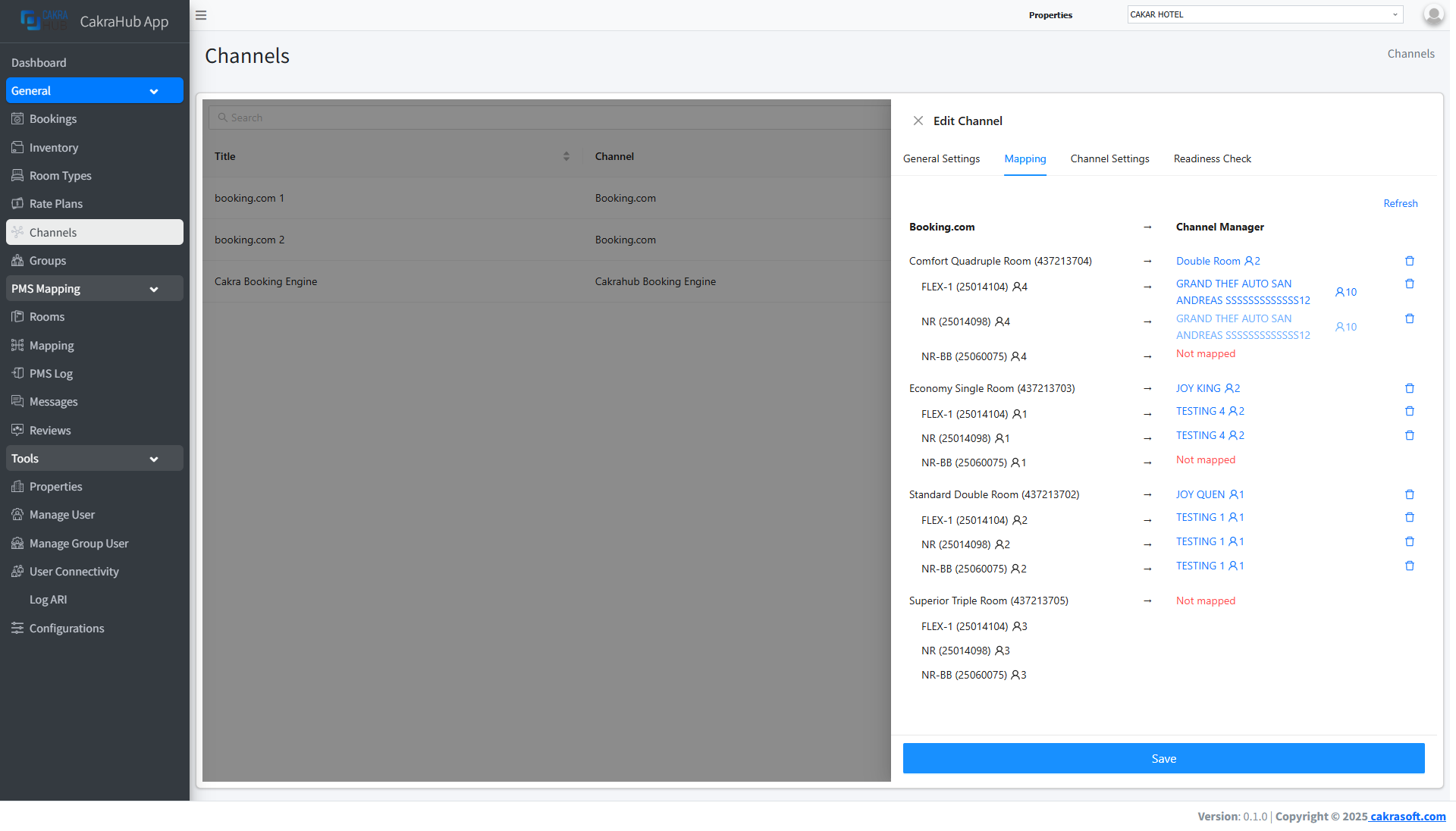
The data list on the left side is data from each OTA. The data list on the right is data inputted in the room type and rate plan menus in cakrahub and is a selection. If the selection doesn't appear, the room or rate data may already be mapped.
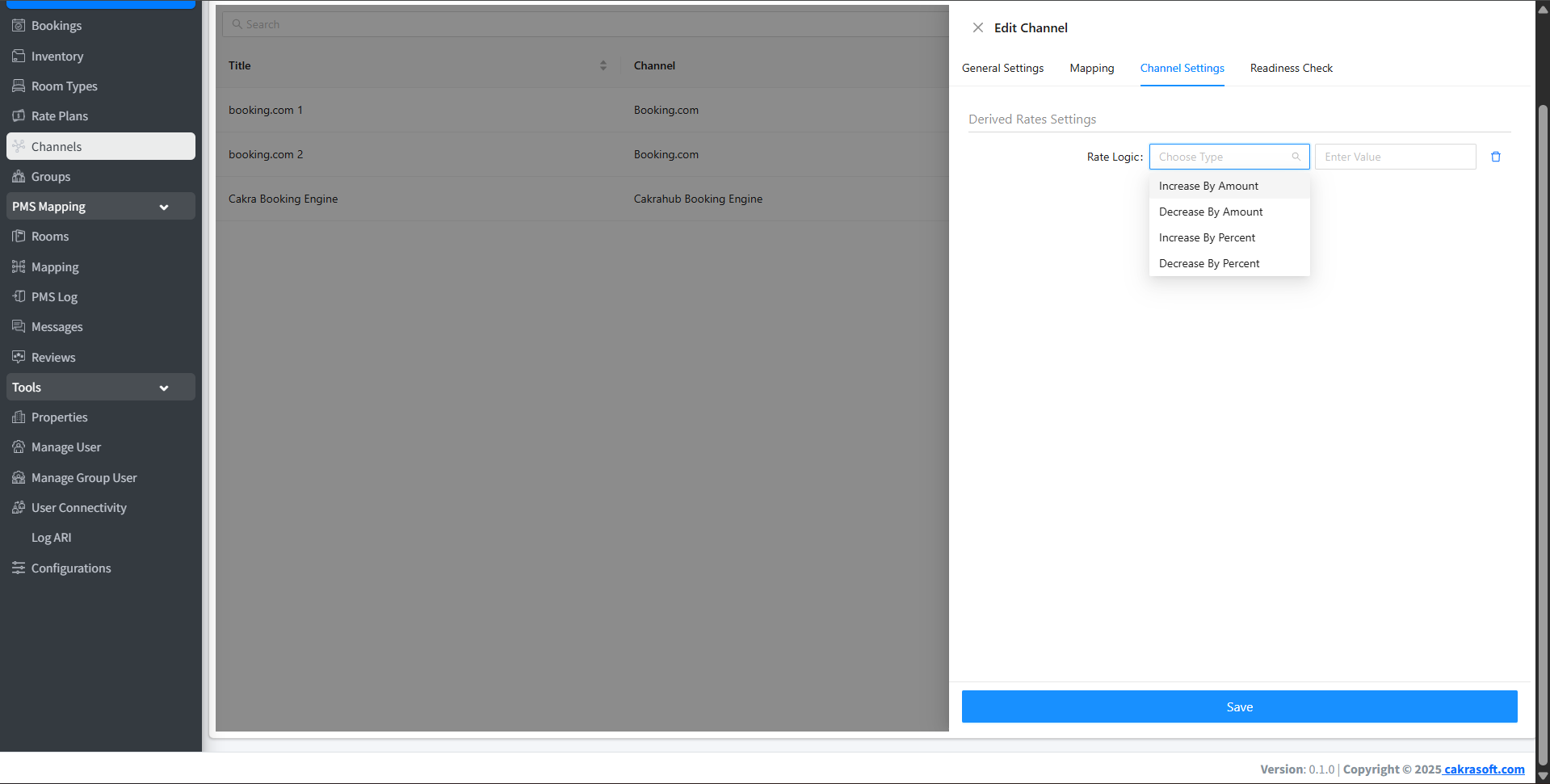
Create special rules for rates on each OTA
- Increase By Amount: Increase price based on the inputted amount, add amount in the value column
- Decrease By Amount: Decrease price based on the inputted amount, add amount in the value column
- Increase By Percent: Increase price based on percentage of the base rate.
- Decrease By Percent: Decrease price based on percentage of the base rate.
Base Rate 500
- If rate logic is added with type Increase By Amount, then value is filled with 10, then the rate sent to OTA will become 510 for this OTA, but for other OTAs it will still be sent 500 by cakrahub, and vice versa.
- If rate logic is added with type Increase By Percent, then value is filled with 10, then the rate sent to OTA will become 550 (10% of 500 -> 50) for this OTA. But for other OTAs it will still be sent 500 by cakrahub, and vice versa.
Channel Form Details
- Channel: OTA options available in cakrahub.
- Title: Channel name that will appear in the table.
- Currency: Currency used on the property (usually follows the OTA).
- Hotel ID: Hotel ID registered in each OTA.
Modern Tips for Using Channels
- Use filter & search features to find channels quickly.
- Enable email notifications to get the latest info from guest bookings.
- Re-map if there are changes to room types or rates in PMS.
The Channels menu is designed with a modern appearance and intuitive navigation to make OTA integration management easier, faster, and minimize errors.