Manage User
The Manage User menu is the center for managing all users that can be configured in the integration system. Here you can create, edit, and delete users, as well as set access rights and user details according to operational needs. All user data inputted will be used for management processes and access right configuration so integration runs smoothly and consistently.
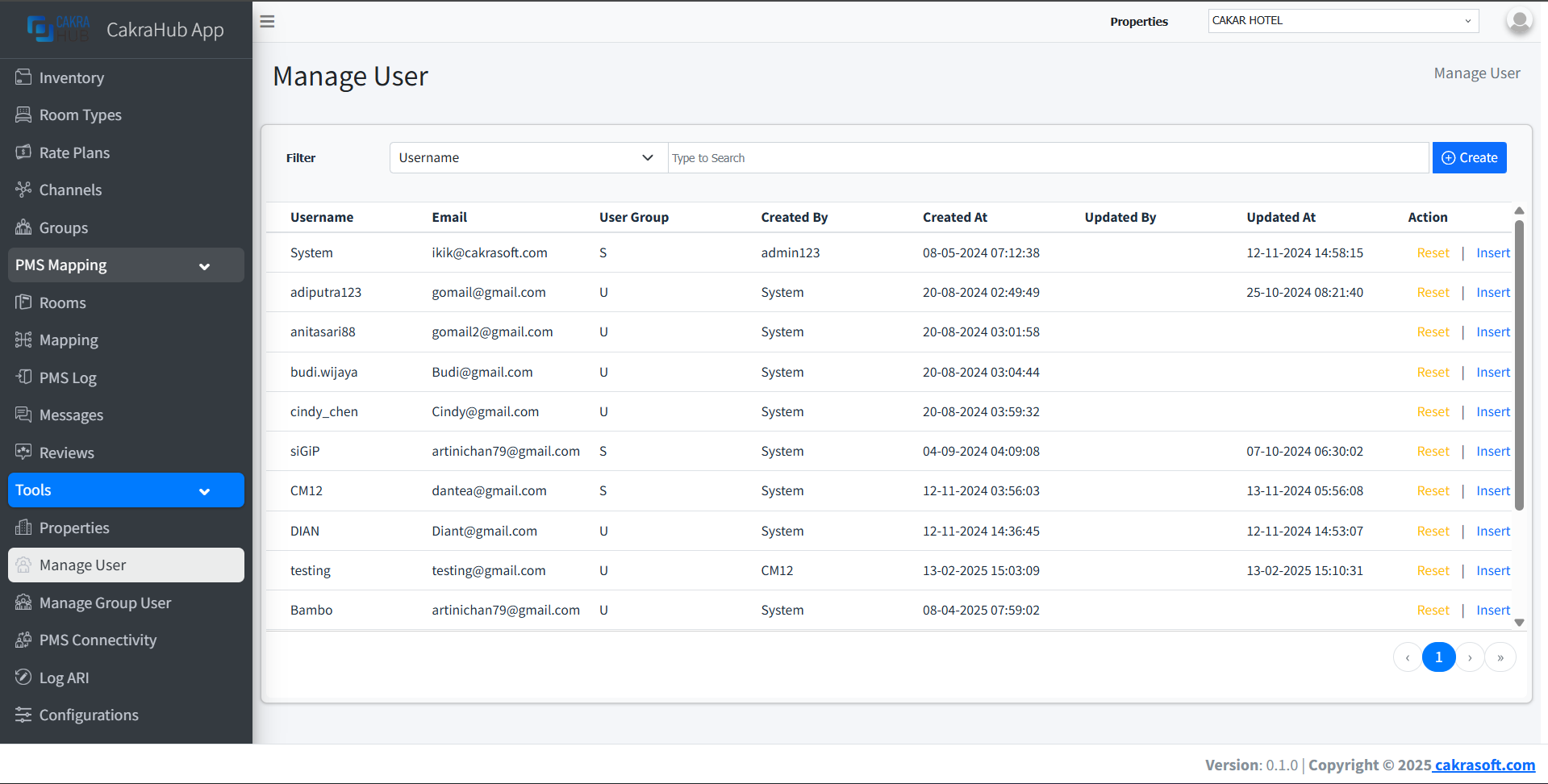
Why is the Manage User Menu Important?
- Access Rights Management: Configure users and their access rights as needed
- User Data CRUD: Create, edit, and delete user data
- Data Consistency: Ensure user data is always synchronized
- Flexibility: User data can be adjusted according to operational needs
Manage User Data Management
- Create
- Edit
- Remove
To create a new user:
- Click the "+ Create" button in the top right corner.
- Fill the form with required user data.
- Fields with red labels are mandatory - make sure nothing is missed.
- Save, and data will automatically be available in the list.
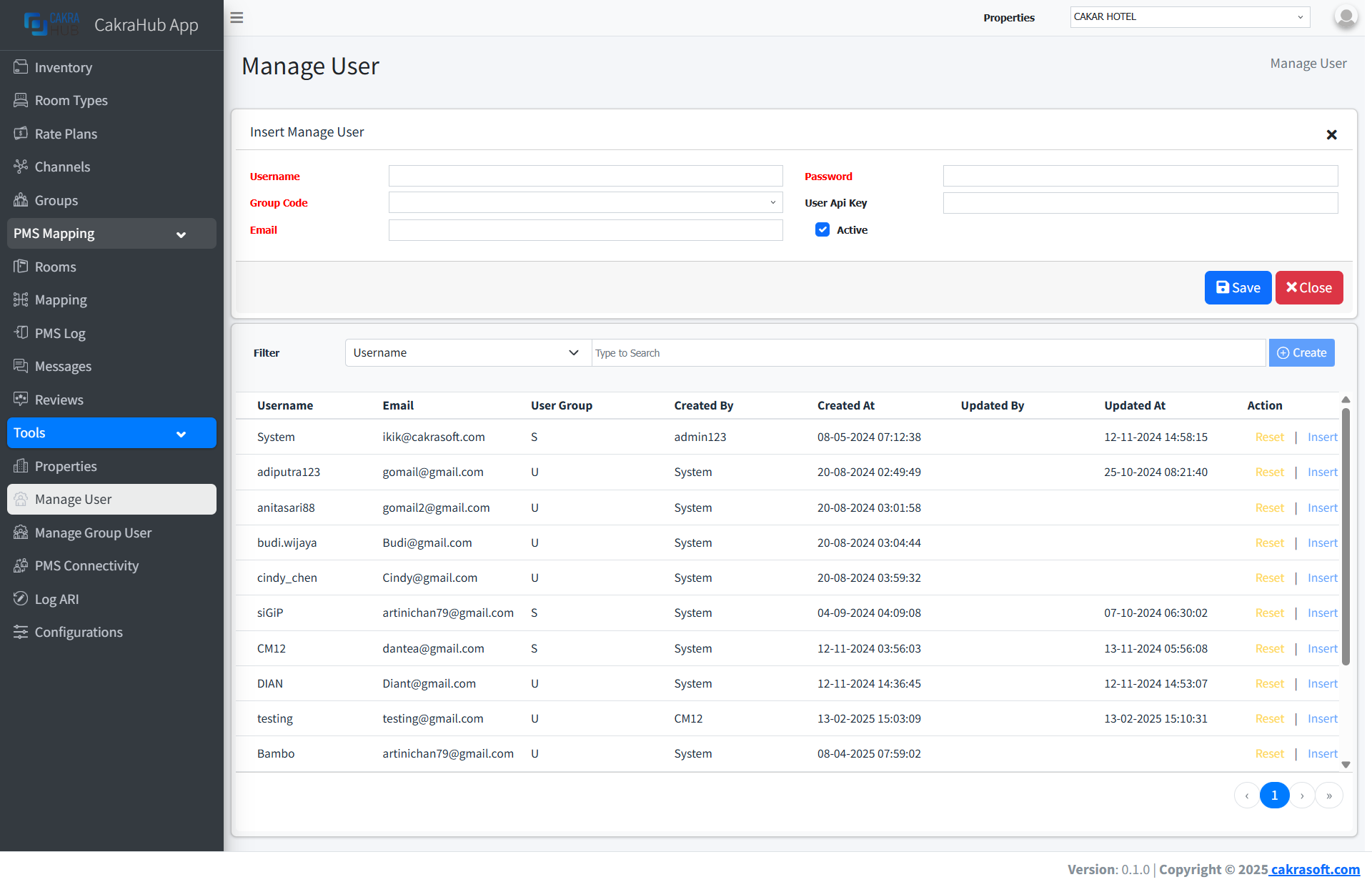
Make sure all fields with red labels have been filled correctly before saving data.
To edit existing user data:
- Click the Edit button on the data row you want to change.
- Change data as needed (red fields remain mandatory).
- Save changes, data will be updated in related systems.
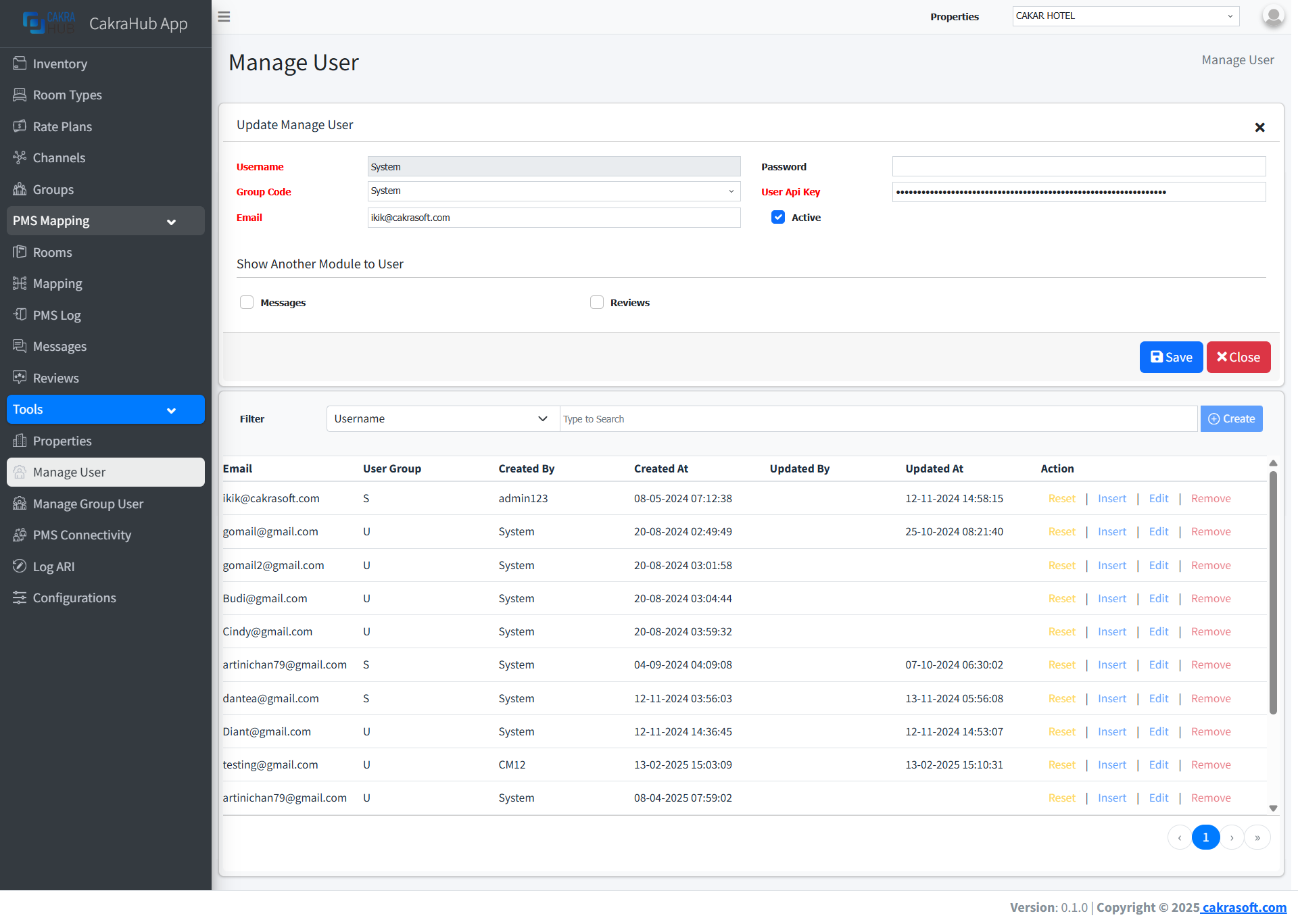
Data changes will automatically sync to connected systems.
To delete user data:
- Click the Remove button on the data row to be deleted.
- Confirm deletion through the dialog that appears.
- Data will be deleted from the system and no longer available.
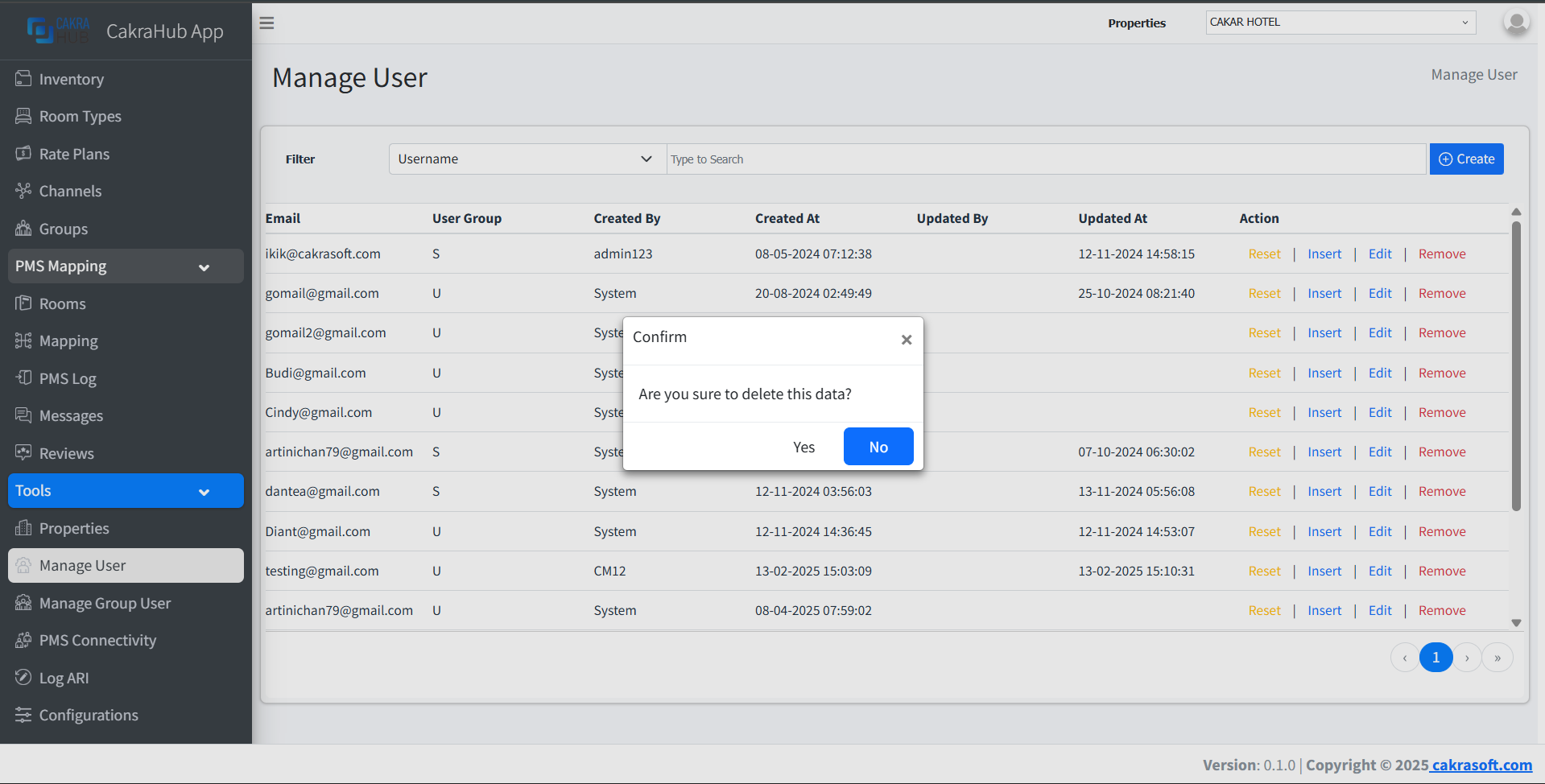
Deleting data will remove all related access rights. Make sure no active processes exist before deleting.
Manage User Input Form Details
Mandatory Fields (Red Label)
- Username: User name
required - Group Code: Select user group/role/position
required - Email: User email
required - Password: Unix password
required - User Api Key: To provide limitations for managing properties/hotels
required - Active: Account activation, set to inactive if needed
default: active
Access Rights Integration
Data inputted in the Manage User menu will automatically be used for user access rights configuration in the integration system.
It is recommended to input user data according to actual data and operational needs.