PMS Connectivity
This menu is used to create, edit, or delete communications or connections between cakrahub and PMS.
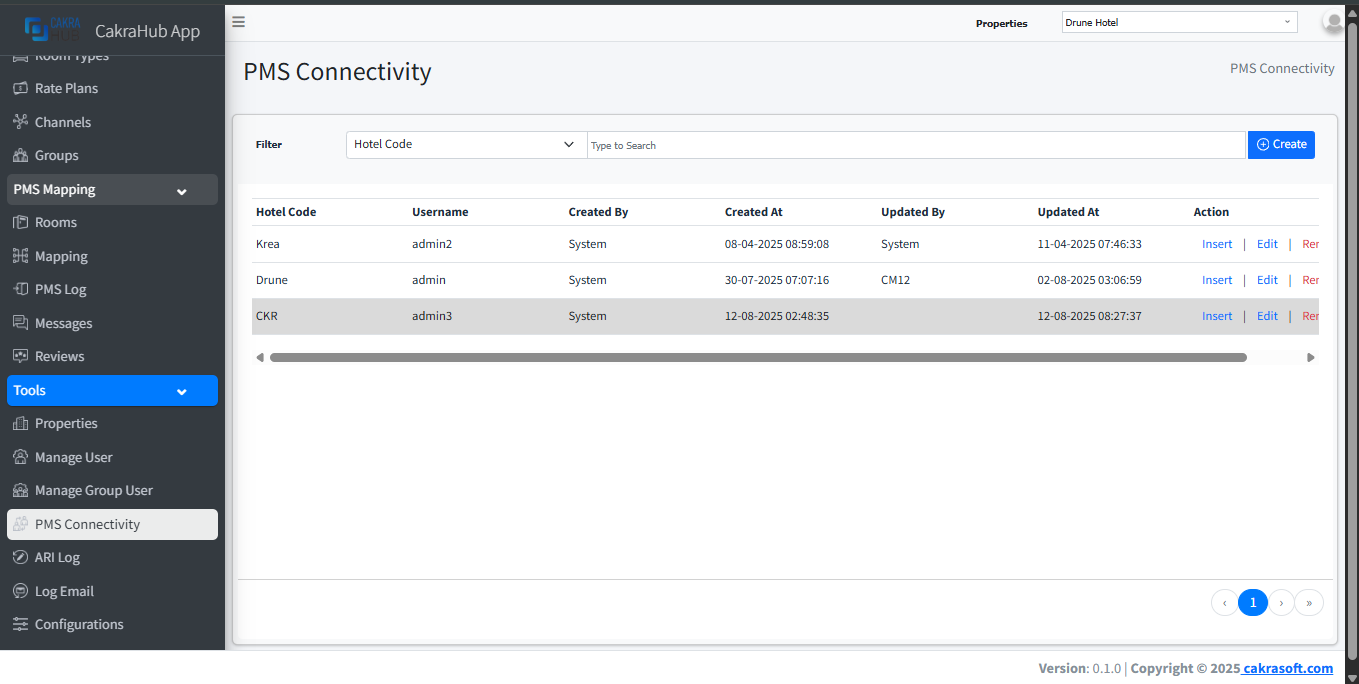
Create, Update, Remove PMS Connectivity
- Create
- Update
- Remove
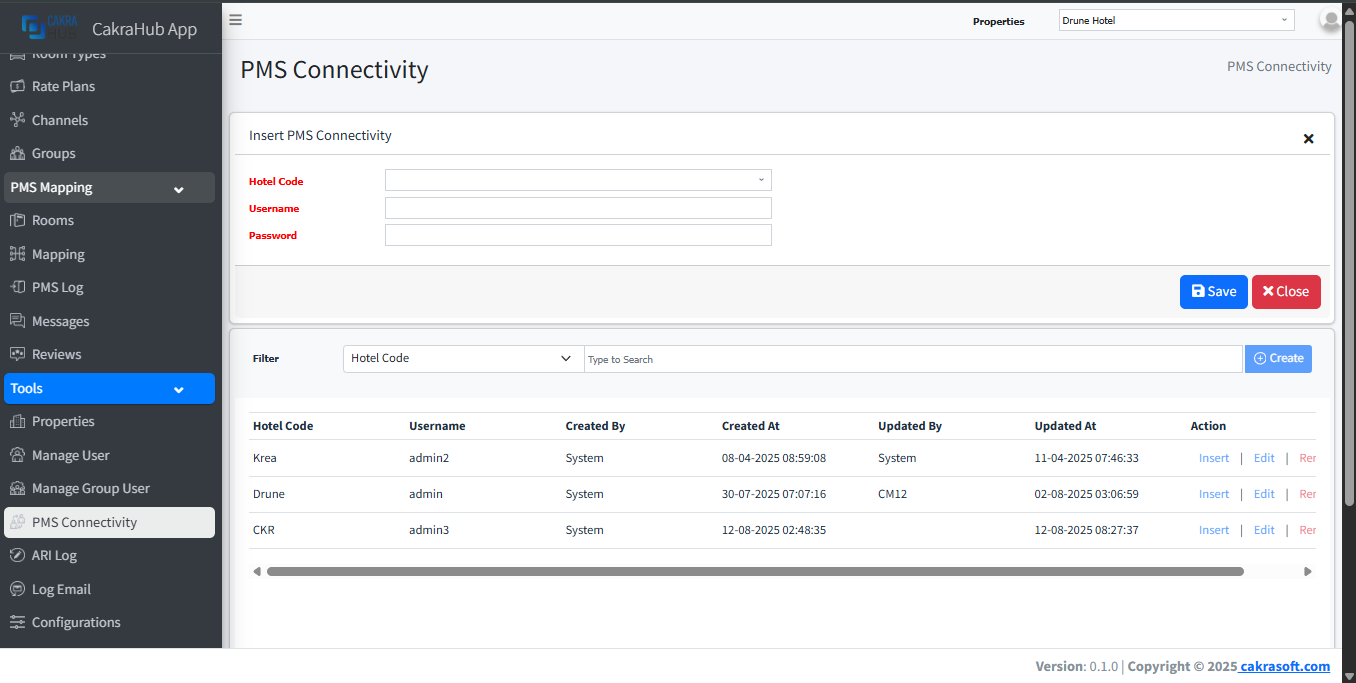
To add new data, you can click the create button in the upper right corner. After clicking, an input form will appear to add the new data.
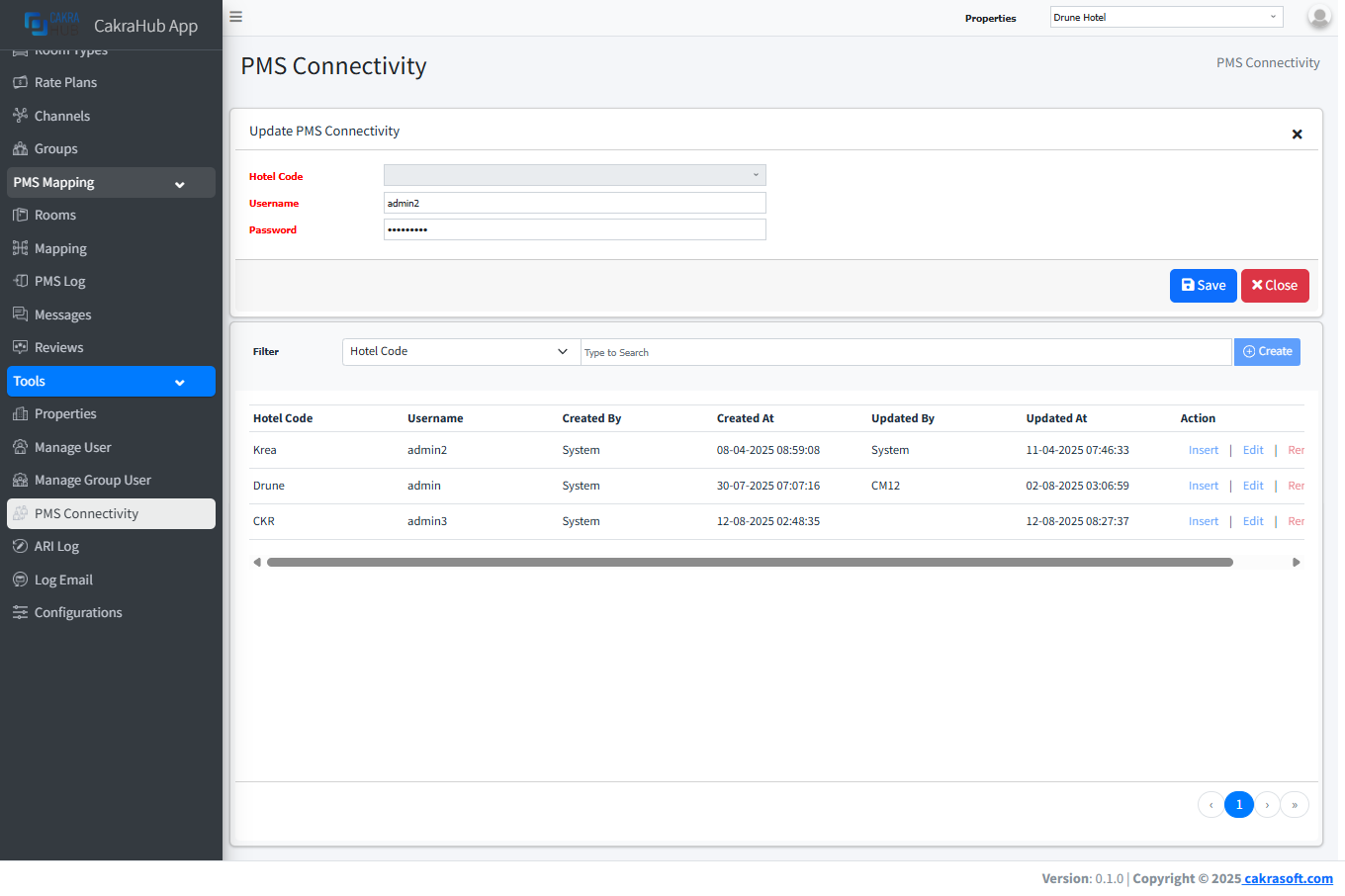
This form appears when you press the edit button in the action column (on the far right of the table).
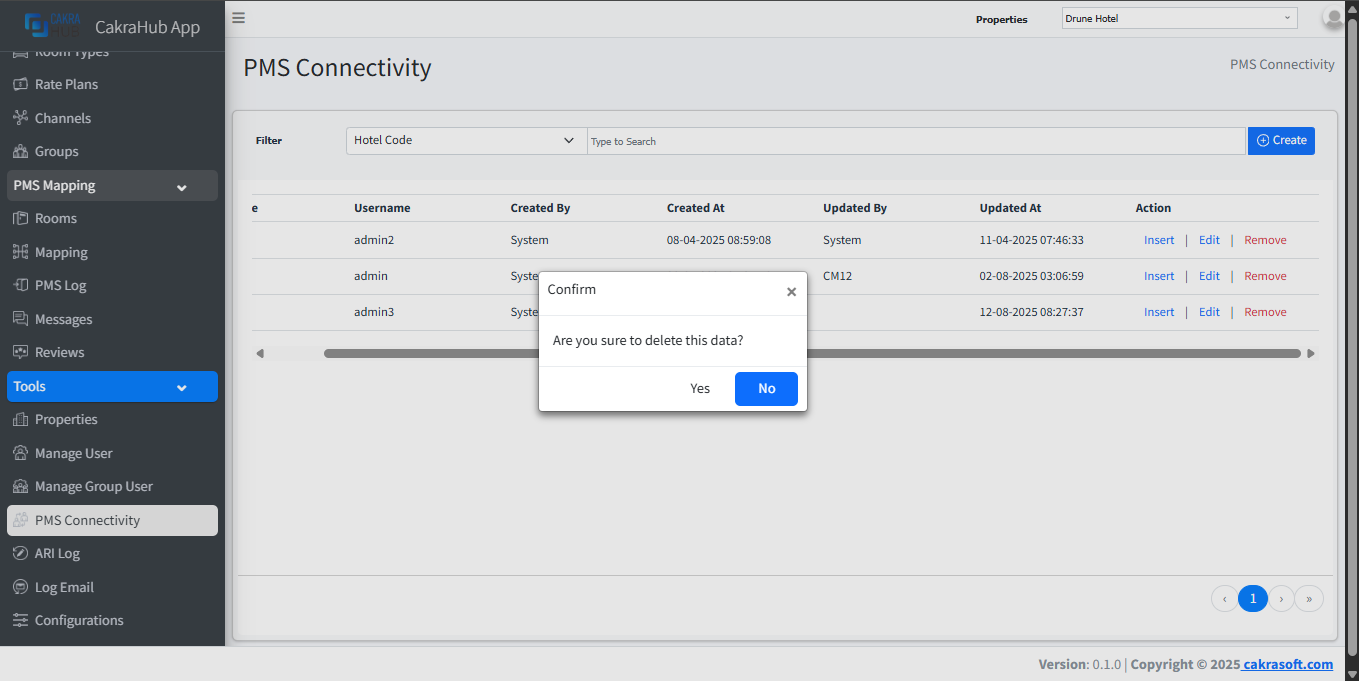
When you press the remove button in the action column (on the far right of the table), a notification/information will appear to confirm whether you are sure you want to delete this data.
Details Form Input
- Hotel Code: select type, choose which property you want to create a username and password for integration with pms.
required - Username Name: adding a username for pms.
required - Password: adding a password for pms.
required